 Wallpaper690 copies
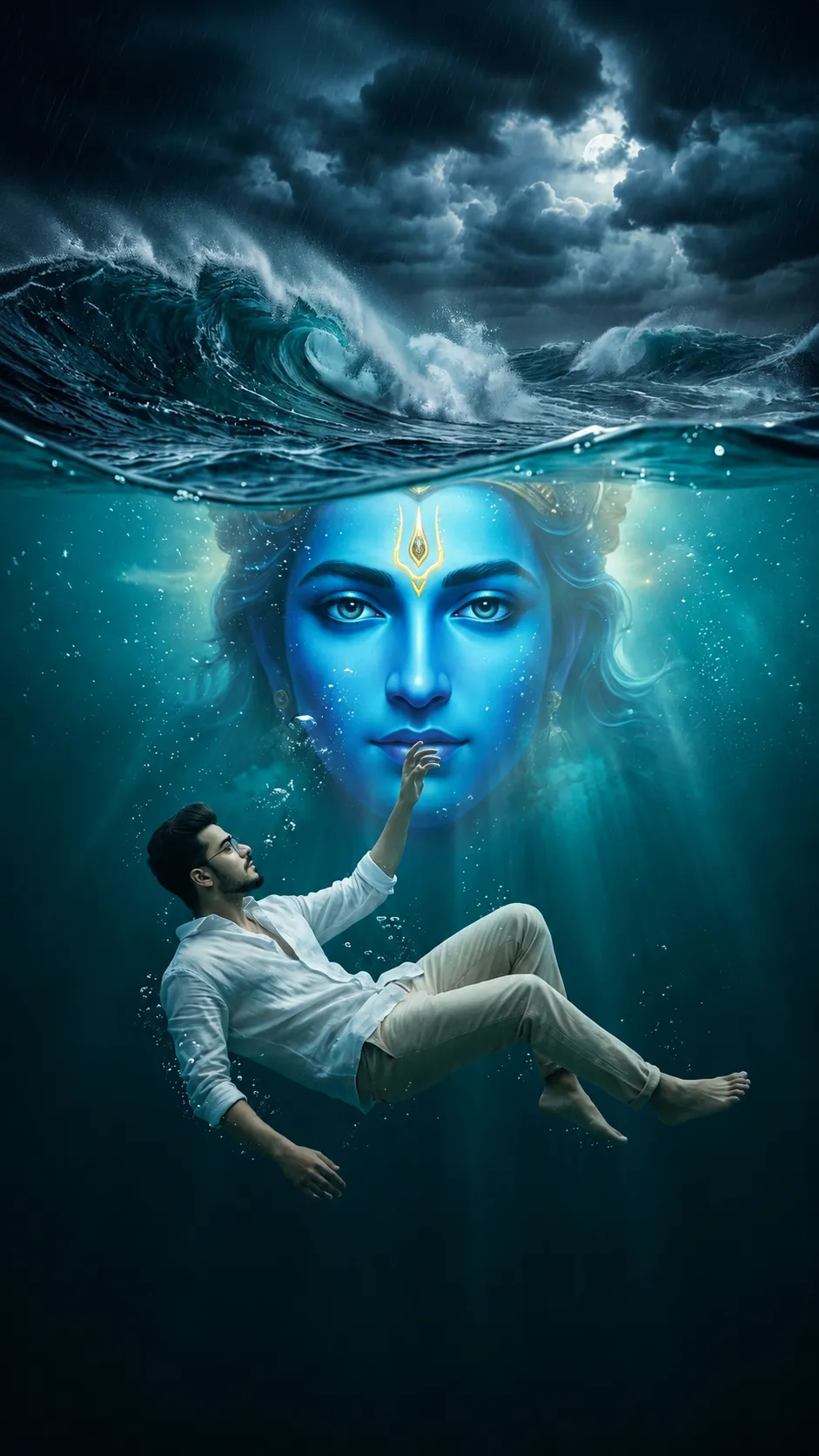 440 copies
Wallpaper · Free image prompt
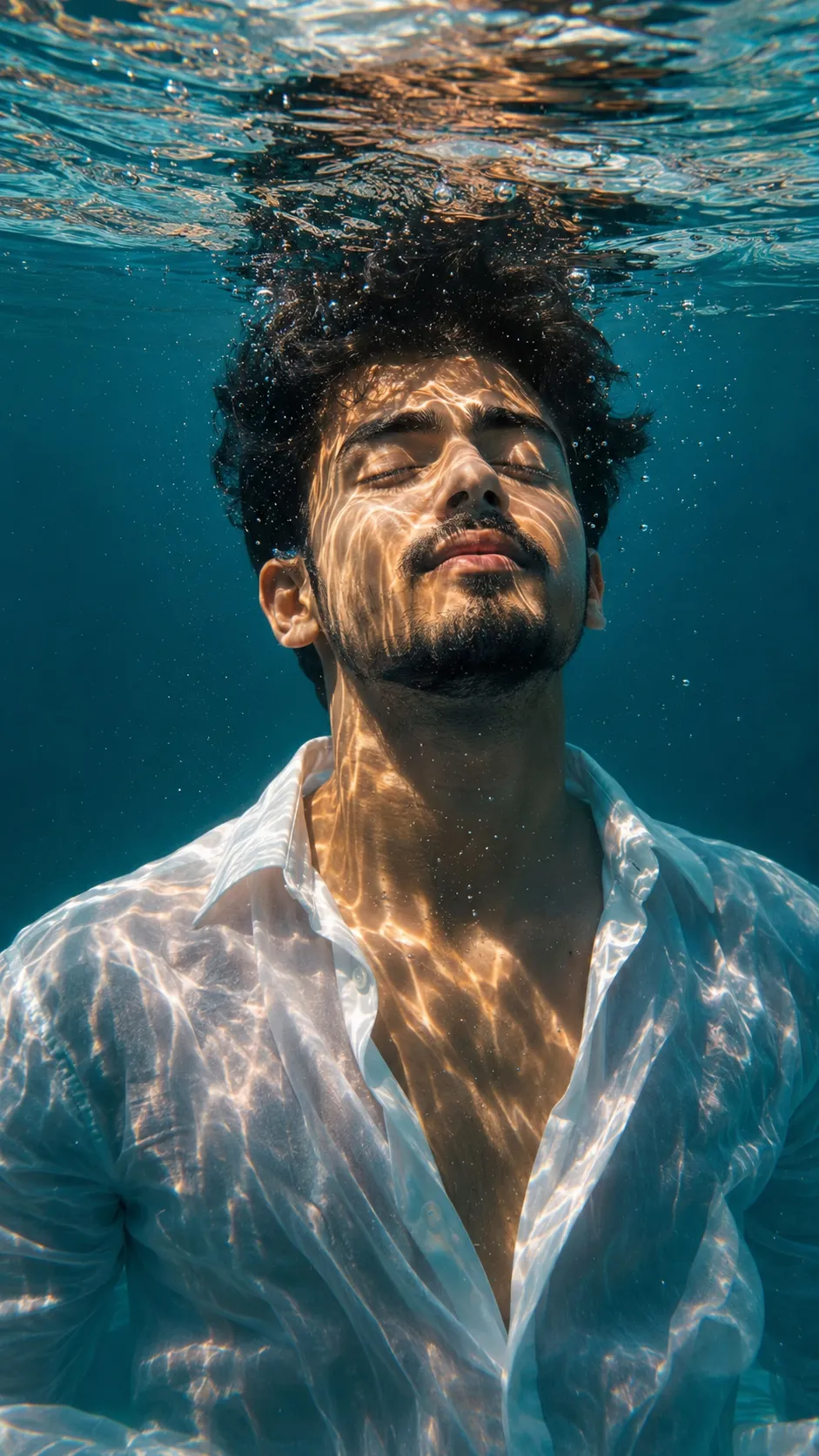
Underwater wallpaper prompt
Make this look your own. Copy the full prompt and follow the guide below.
The prompt
Read the guideUltra-photorealistic cinematic fantasy poster with a dramatic split-water composition, captured like a high-budget movie frame. The scene is naturally divided by the ocean surface — the upper half showing a violent midnight sea with massive crashing waves, floating mist, rain particles, and dark thunder-filled clouds illuminated by subtle cinematic moonlight. The atmosphere feels emotional, mystical, intense, and spiritually powerful.
Just beneath the waterline, an enormous ethereal divine face emerges within the deep ocean itself — inspired by the calm cosmic aura and energy of Vishnu/Krishna without directly resembling any religious artwork. The face should appear ancient, god-like, and spiritually overwhelming, featuring glowing sapphire-blue skin tones, calm piercing eyes, a soft divine radiance, and a faint golden forehead symbol. The face blends naturally into the surrounding water with semi-transparent edges, drifting particles, underwater fog, shimmering bubbles, and volumetric light rays passing through the ocean darkness.
The divine face dominates the upper underwater background close to the surface, making the ocean itself feel conscious and alive.
In the deeper underwater foreground, a young man floats weightlessly in cinematic slow motion (use uploaded image as exact identity reference — preserve identical facial structure, hairstyle, beard details, skin tone, body proportions, and realistic human appearance). His body is slightly tilted sideways underwater while one hand reaches upward toward the distant surface, creating a feeling of searching, surrender, hope, and spiritual connection. Natural air bubbles drift around him.
Outfit: luxurious oversized white linen shirt with soft flowing underwater fabric movement, slightly unbuttoned collar, naturally rolled sleeves, subtle translucent water-soaked texture, elegant wrinkles, premium editorial fashion aesthetic. Pair with relaxed light beige or muted cream trousers for a soft heavenly contrast against the dark ocean environment.
Barefoot feet clearly visible underwater with realistic anatomy and motion.
Color palette: deep teal-blue shadows, cyan highlights, silver reflections, moody underwater contrast, glowing skin reflections, cinematic HDR lighting, spiritual fantasy atmosphere.
Extremely detailed water physics, realistic reflections, underwater diffusion, sharp facial realism, atmospheric depth, soft film grain, DSLR cinematic composition, luxury movie-poster aesthetic, hyper-detailed textures, ultra-realistic 8K quality.
Vertical 4:6 portrait composition optimized for Instagram poster/reels aesthetic.
No sign-up needed. You can also select and copy the text manually.
More inspiration for you
View all →


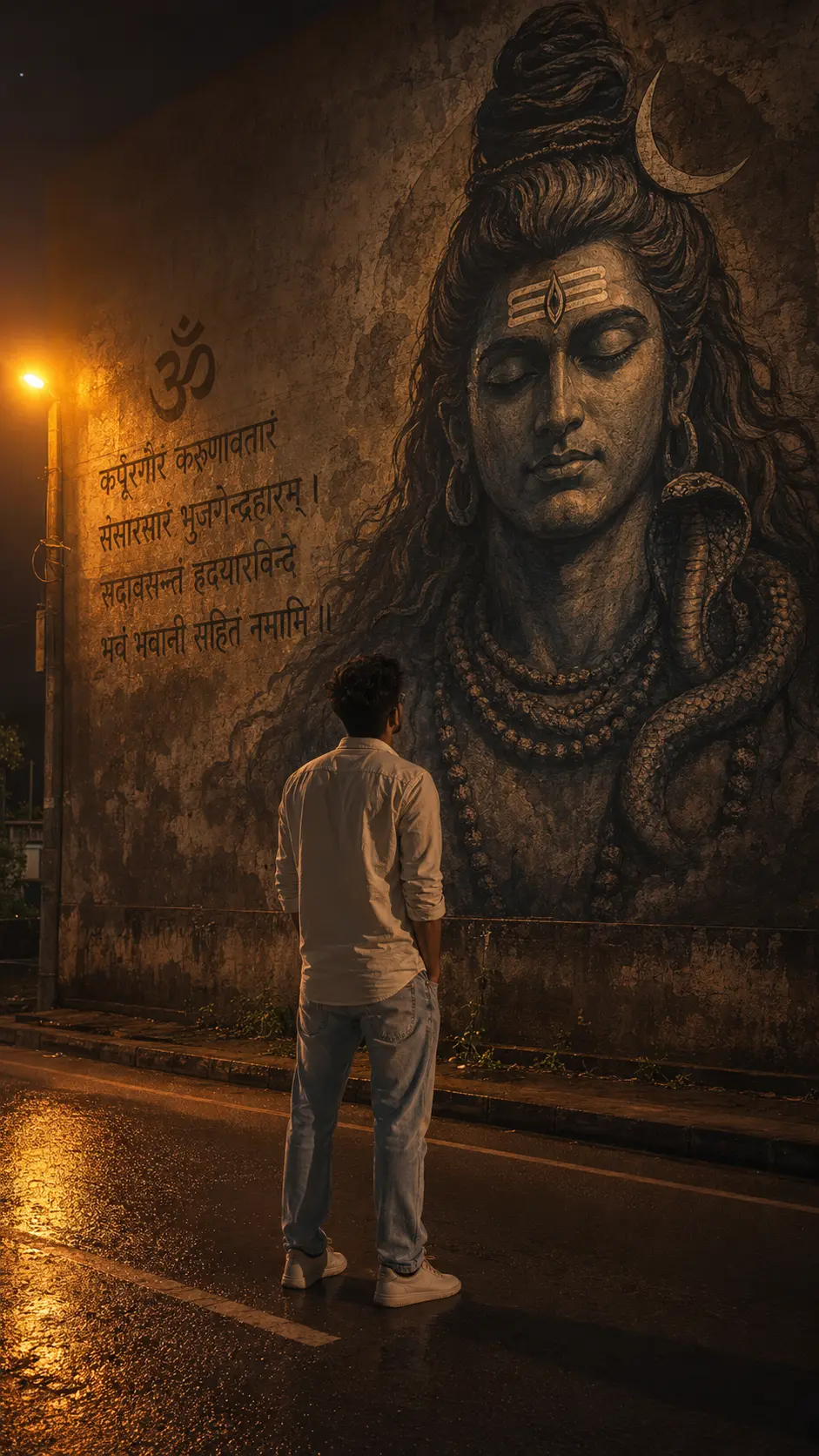
SponsoredAd
The creator's guide
How to use Underwater wallpaper prompt
Use “Underwater wallpaper prompt” as a starting point for your Wallpaper creation. The guide below highlights instructions from this specific prompt and shows what to change when adapting it to your own idea.
01
Get ready
Start with a clear reference photo. Upload it to an AI tool that accepts images before pasting the prompt. Choose a well-lit image with the subject unobstructed.
02
Copy & create
Copy the complete prompt above, paste it into your AI tool, and generate a first version. Keep the original instructions for your first attempt.
03
Refine one detail
Check the eyes, hands, skin texture, and likeness first. If the face changes too much, ask to preserve the reference identity and remove conflicting appearance instructions.
Inside this prompt
Lighting
Color palette: deep teal-blue shadows, cyan highlights, silver reflections, moody underwater contrast, glowing skin reflections, cinematic HDR lighting, spiritual fantasy atmosphere
Composition
Ultra-photorealistic cinematic fantasy poster with a dramatic split-water composition, captured like a high-budget movie frame
Style
Ultra-photorealistic cinematic fantasy poster with a dramatic split-water composition, captured like a high-budget movie frame
Three variations to try
Try one follow-up at a time after generating your first result.
Change the mood
Keep the subject and composition. Replace the lighting with soft natural window light and a calm, muted palette.
Make it your own
Keep the visual style. Replace the setting with a location of your choice and remove any details that conflict with the new scene.
Adapt the framing
Keep the face and identity consistent. Leave extra space around the head and shoulders for a square profile-picture crop.
If your result looks different
The preview is a visual reference, not a guaranteed output. Results vary by model, settings, and reference image. Keep the instructions that matter most, remove contradictions, and change one detail between attempts.